
Less unplanned downtime
Preventive maintenance scheduled by date or running hours, with due and overdue jobs visible at a glance — so routine care happens before a breakdown, not after it.
यन्त्र पालन Specially designed for Indian process plants
Fewer surprise breakdowns. Preventive maintenance that actually gets done. And photo-backed proof on every job. Yantra Paalan brings work orders, PM, log sheets, spares and live KPIs into one iOS app — built offline-first, so a weak signal near the reactor never stops the job.
Sold to plants on an annual contract. The app is free to download — logins are issued by your own administrator.
Why it matters
Yantra Paalan won't turn a wrench for you. But by capturing every job, reading and spare part in one place, it's designed to shift the metrics a maintenance department lives and dies by. Here's where it's aimed.
Preventive maintenance scheduled by date or running hours, with due and overdue jobs visible at a glance — so routine care happens before a breakdown, not after it.
Every planned job carries its checklist and is tracked to closure, so the compliance figure your HOD reports is one the records can actually back up.
Work orders reach the right technician with the roster and spares they need, and close with photo proof — designed to shorten mean time to repair and leave a record an auditor can follow.
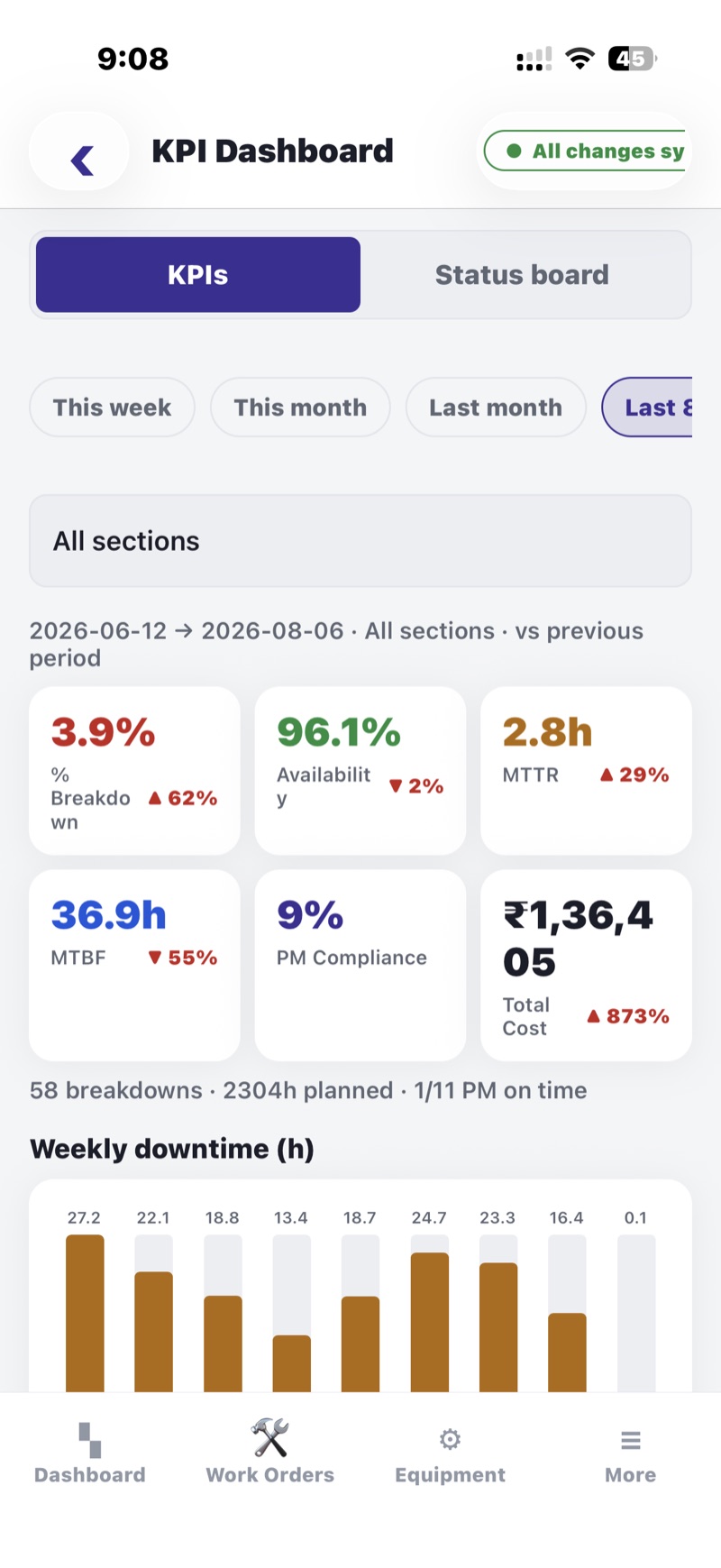
Breakdown frequency, backlog ageing and MTTR are calculated as the work is recorded — so nobody stays late building the report the morning meeting asks for.
These are the outcomes the system is built to drive — not results we claim for you. What you get out depends on how your team uses it; what we provide is the record that makes the difference measurable.
The name
यन्त्र पालन
yantra pālan
Maintenance in a plant is closer to pālan than to repair. A pump is not fixed once; it is watched, greased, listened to and kept. We built the app around that idea — the record of care, not just the log of breakdowns.
What the app does
Breakdown and routine work, the people who do it, and the parts they need — recorded once, visible to everyone who needs it.
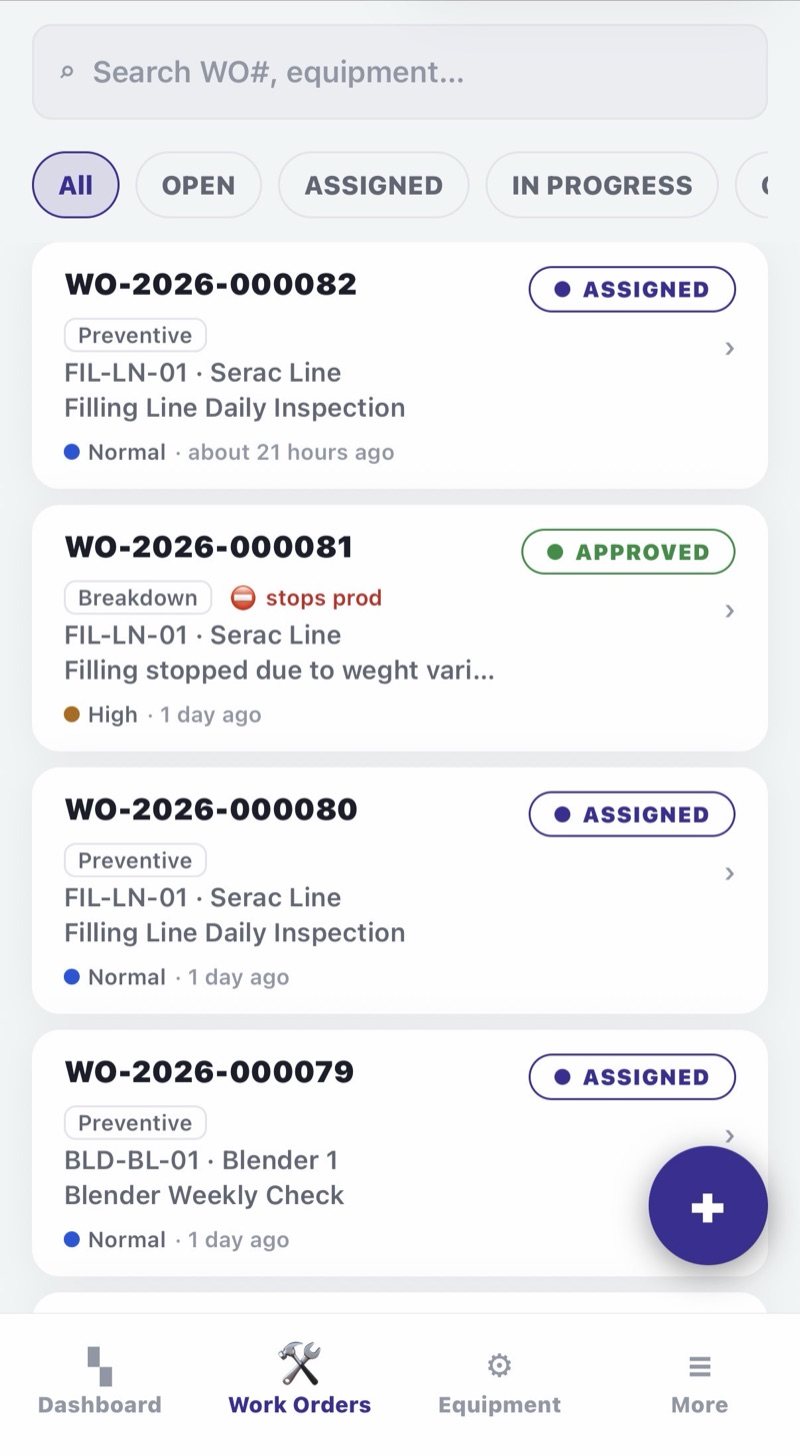
Raise a job against an equipment tag, assign it, track it to closure. Technicians attach photos taken in the app — before, during and after — so the record shows what was actually done, not just what was ticked.
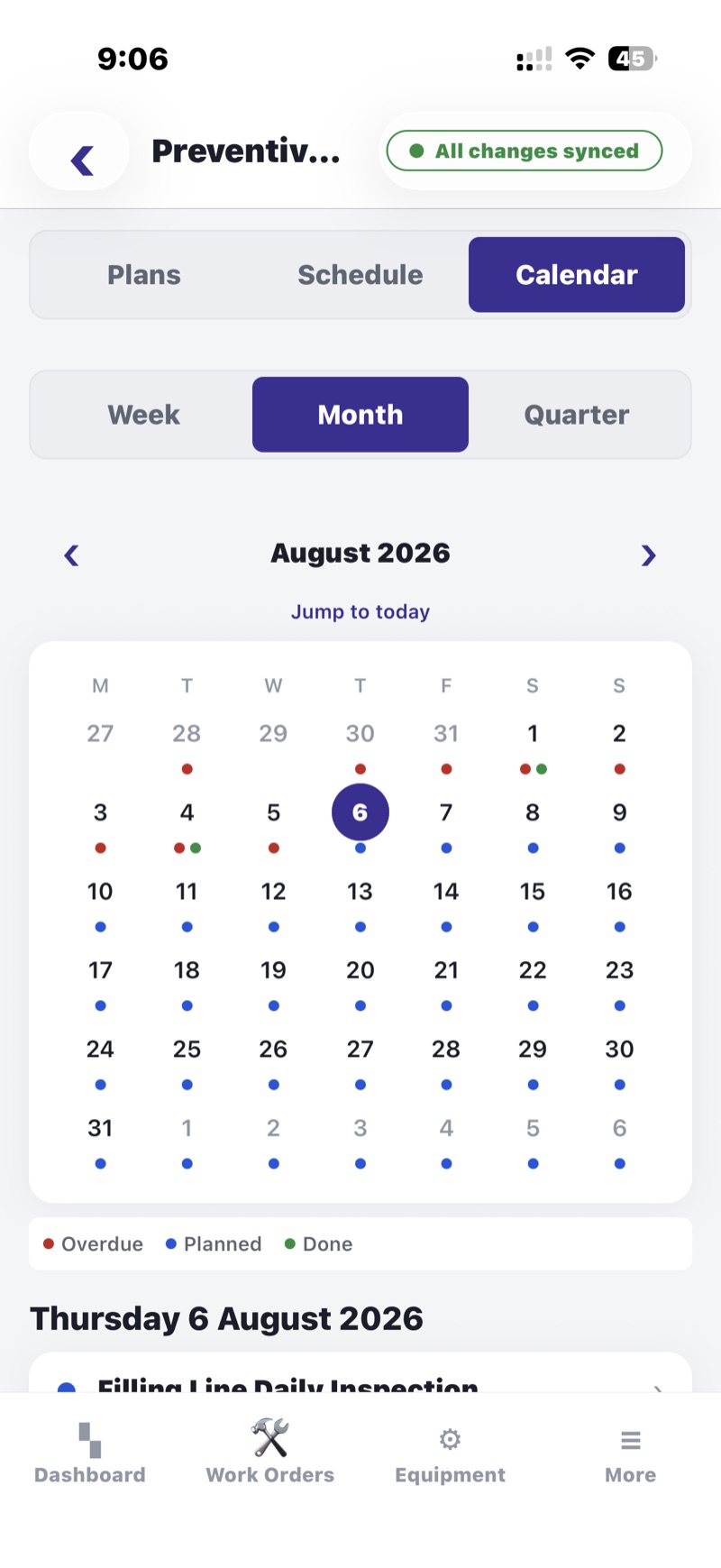
Schedule PM by date or running hours, with checklists per asset. Due, overdue and completed jobs are visible at a glance, so nothing quietly slips past its frequency.
Shift readings and round sheets captured on the phone instead of a clipboard — timestamped, attributed to the operator, and searchable months later when someone asks why a pump tripped.
Who is on A, B or C shift, who is on general, who is on leave. Supervisors assign work to people who are actually on site, and the roster travels with the work order.
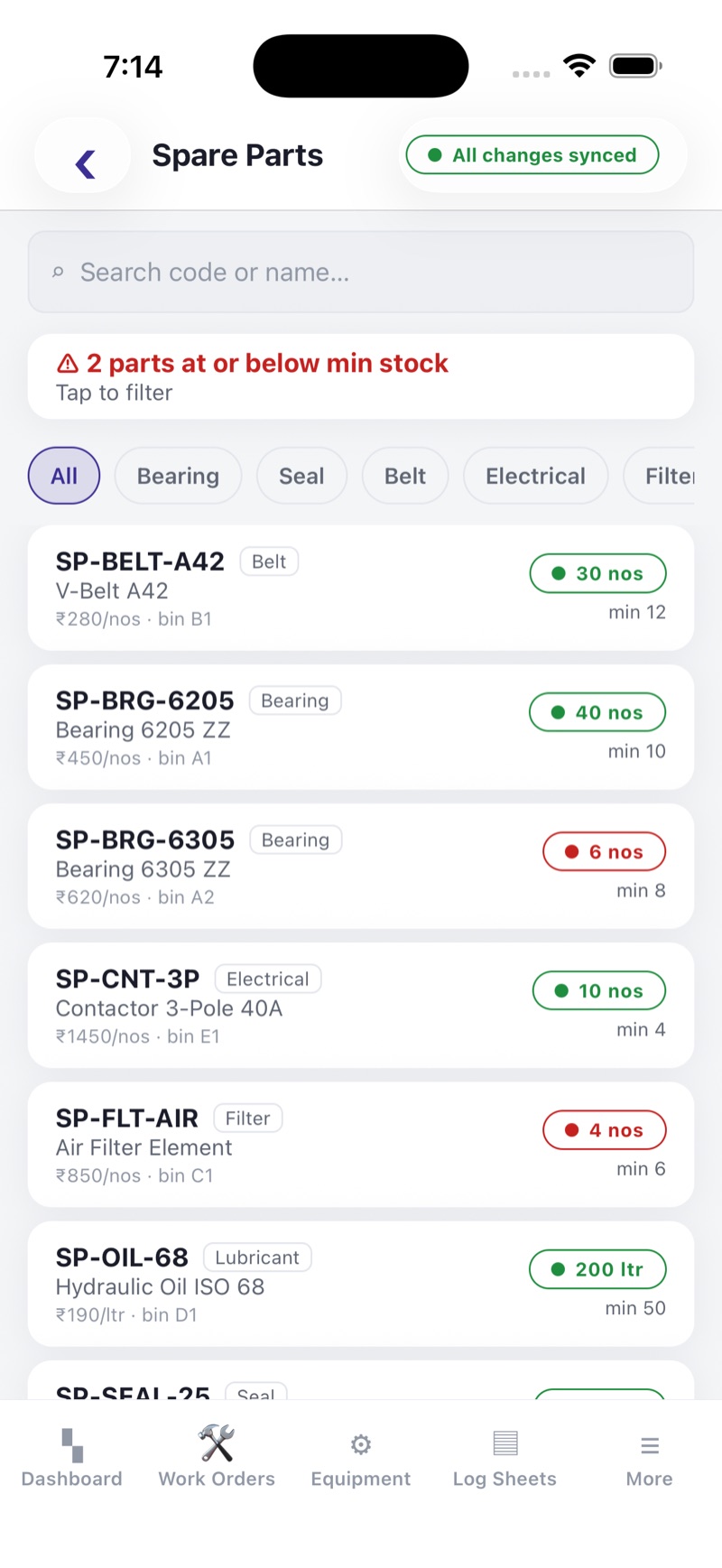
Issue and receive spares against a job, keep min/max levels per item, and see what is running low before the store does. Consumption is tied back to the equipment it went into.
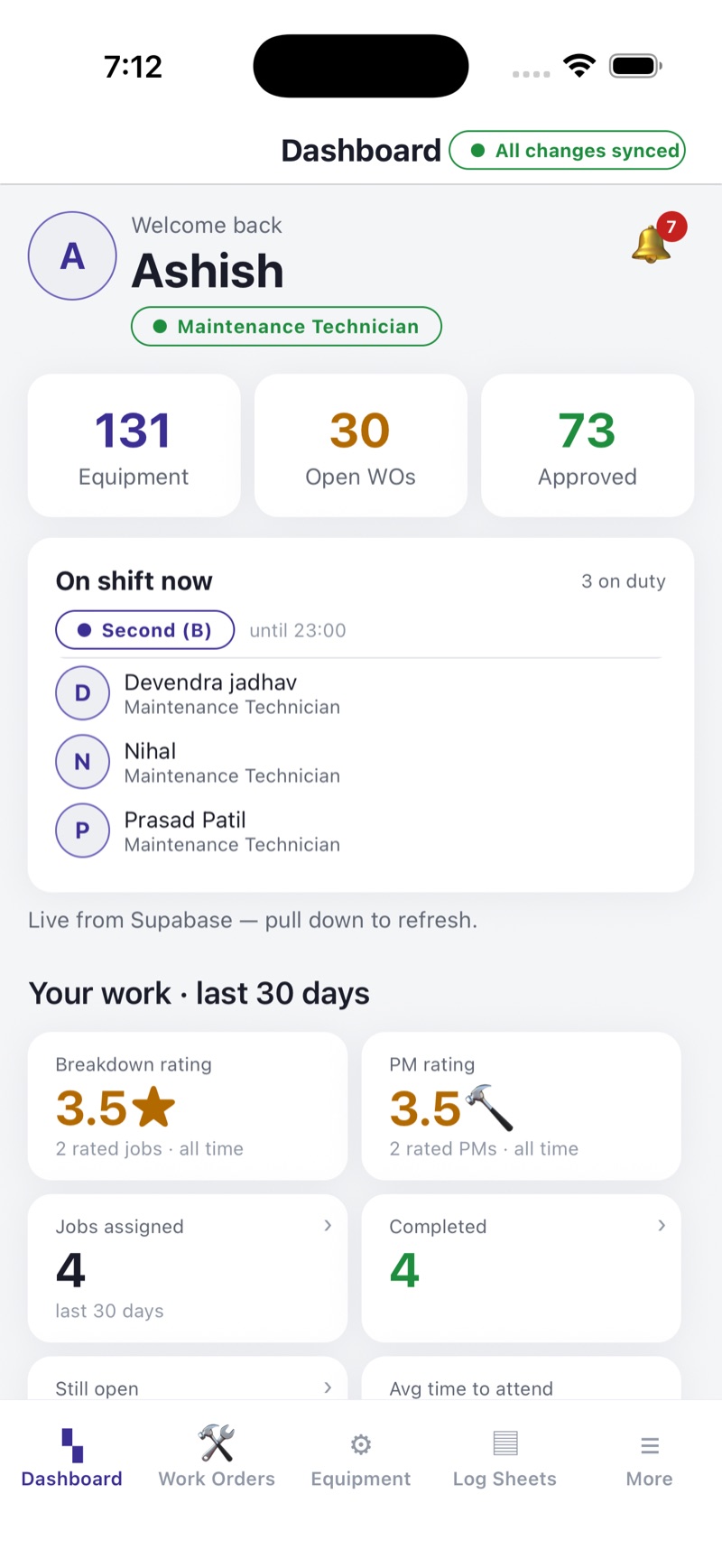
Open versus closed work orders, PM compliance, breakdown frequency, mean time to repair, backlog ageing — the numbers HODs are asked for in the morning meeting, ready before it starts.
Basements, boiler houses, tank farms — signal drops and work continues. Entries and photos are stored on the device and synced automatically once the phone is back in coverage.
Each person sees the screens their job needs and nothing else. Access is controlled by your administrator and enforced on the server, not just hidden in the interface.
Inside the app
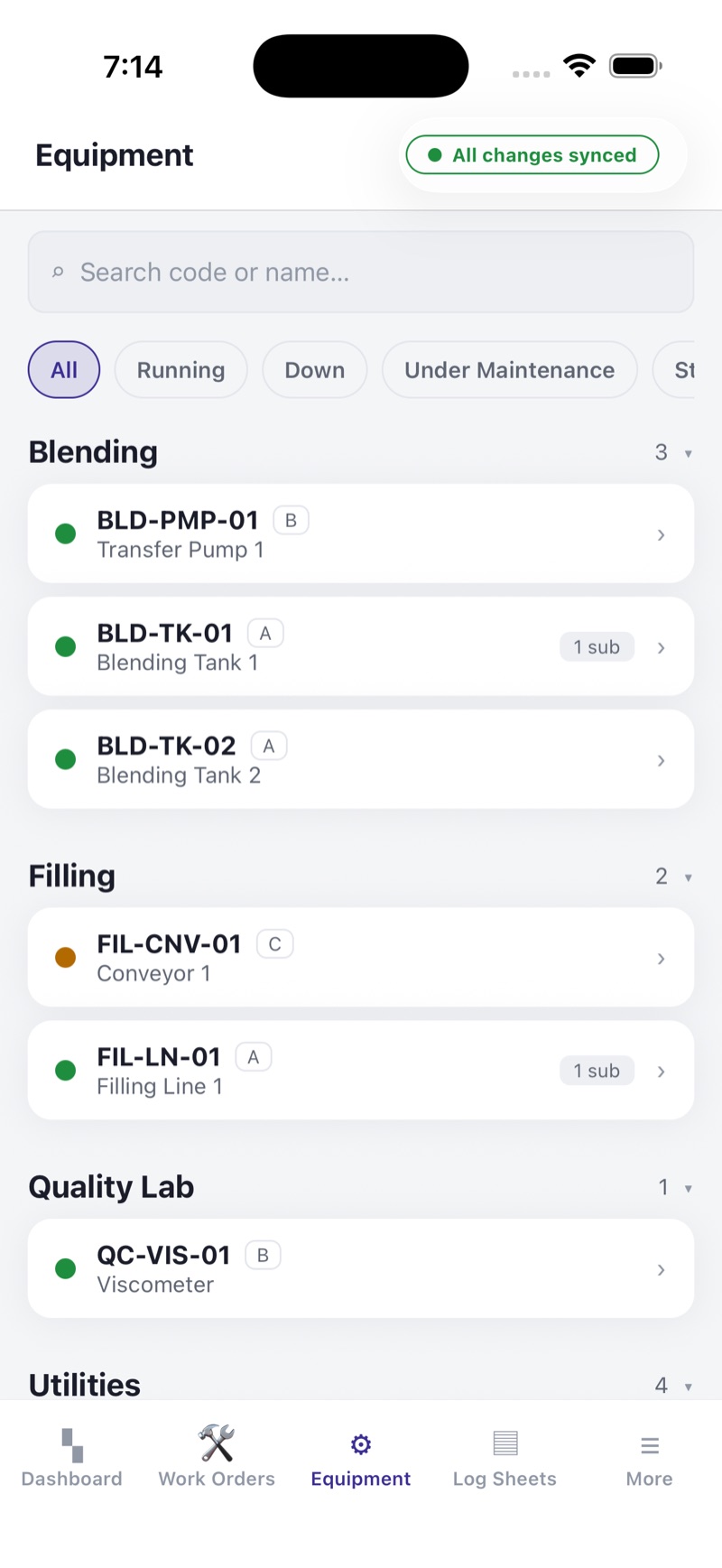
Large targets, high contrast, and the fewest taps we could get away with.
The cycle of care
Care comes back around. Every screen in the app sits somewhere on this cycle, and the record each stage leaves behind is what makes the next turn better informed.
And back to Observe, better informed than the turn before. That returning is the difference between pālan and repair.
Roles
Your administrator assigns a role to every user. The role decides what that person can see, raise, approve and close.
Security & data
Maintenance records are operating history — regulators, insurers and auditors all expect to see them. Yantra Paalan is built so that history stays protected, stays yours, and stays out of anyone else's hands.
Every connection between the app and the backend uses TLS, and stored data and photos are encrypted at rest on disk.
Row-level security checks a user's role and organisation on every read and write — access rules live in the data, not just hidden in the interface.
Admin, HOD, manager, supervisor, technician — each sees only what their job needs. Logins are created and revoked by your own administrator, not by us.
Your organisation is the Data Fiduciary; we are only the processor. Data is kept for the duration of your contract, then deleted or returned — never repurposed.
No advertising, no third-party analytics SDKs, no sale of data. The app collects only what the maintenance workflow needs — and nothing for anyone else.
Built around India's Digital Personal Data Protection Act — the roles, retention and deletion rules it defines are baked into how the app handles data.
How it works
Yantra Paalan is a business product. There is nothing to buy inside the app and no self-service sign-up — accounts belong to the plant, not to individuals.
Your plant signs an annual agreement with us covering the users and sites you need. Talk to us and we will size it with you.
We provision your plant, then your own administrator creates logins, assigns roles and loads equipment and spare-part masters.
Staff download Yantra Paalan from the App Store at no cost and sign in with the credentials their administrator issued.
Jobs, readings, photos and spares flow in from the floor. Managers and HODs see the picture without chasing anyone for a report.
Get the app
Yantra Paalan is available for iPhone. Downloading the app does not create an account — you will need the email or employee ID and PIN issued by your plant administrator.
If your plant has not started with Yantra Paalan, we will walk you through a demo on your own equipment list and show what the first month of data looks like.
Already a user and stuck at the login screen? Start with Support — most login and PIN issues are fixed by your plant administrator.
Send us a note with your plant, department and rough headcount. We will set up a walkthrough of work orders, PM and KPIs using equipment names your team will recognise.
Or write directly to support@yantrapaalan.in